iPhone · Apple Watch

Everything you ship, in one stack.

Ratings and release state from both stores, live health for your sites and APIs, and the real load on your own servers — on your phone and on your wrist. You hear it before your users do.

Free on the App Store · iPhone & Apple Watch · nothing to sign up for

Servers
Projects
Server detail

Find out first. Not from a one-star review.

The disk fills up at three in the morning. Memory runs out under the first rush of the day. A deploy passes every test and the first real request takes the API down. None of it announces itself — you find out when someone complains. Marshal Stack watches the machine, the address and the store, and sends one notification the minute something actually needs you.

Three altitudes

Start with what you have already shipped.

A console, not a cloud. Connect only what you want watched — every key stays yours, and nothing is required to look around.

On the deck

Your stores

Free · your own keys

  • Ratings and reviews from App Store
  • Release state — in review, rejected, ready for sale
  • Your API keys, never ours
  • Every app matched to its repositories automatically
Contact us
In the stack

Your servers and sites

Free · your own machines

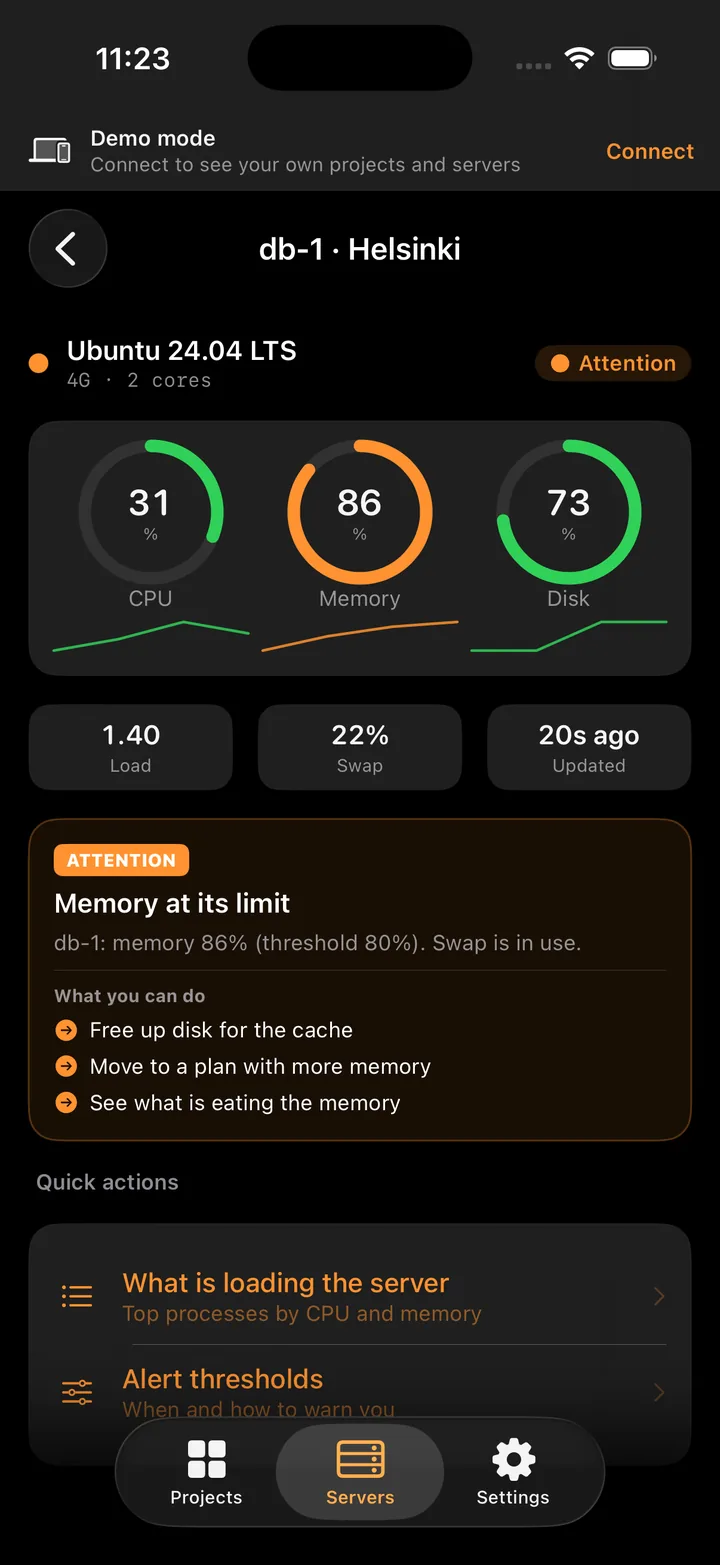
  • CPU, memory, disk — and what is eating them
  • Sites and APIs checked every minute, up / slow / down
  • Alerts that say what to do, not just what broke
  • A process from /tmp, a new open port — flagged at once
  • The agent opens no port and uninstalls with one command
See the console
Later

The watch and the crew

In development

  • The watch: an alert read, diagnosed and cleared without you
  • You set what it may do alone: look, restart, or open a pull request
  • Tasks pulled from Trello and GitHub, run unattended
  • Not in the app yet — this is what we are building next
What is coming

What it does

Watch, don't refresh

Named after the holding pattern where returning aircraft stack up over the deck, each at its own altitude, waiting to be called down.

On approach

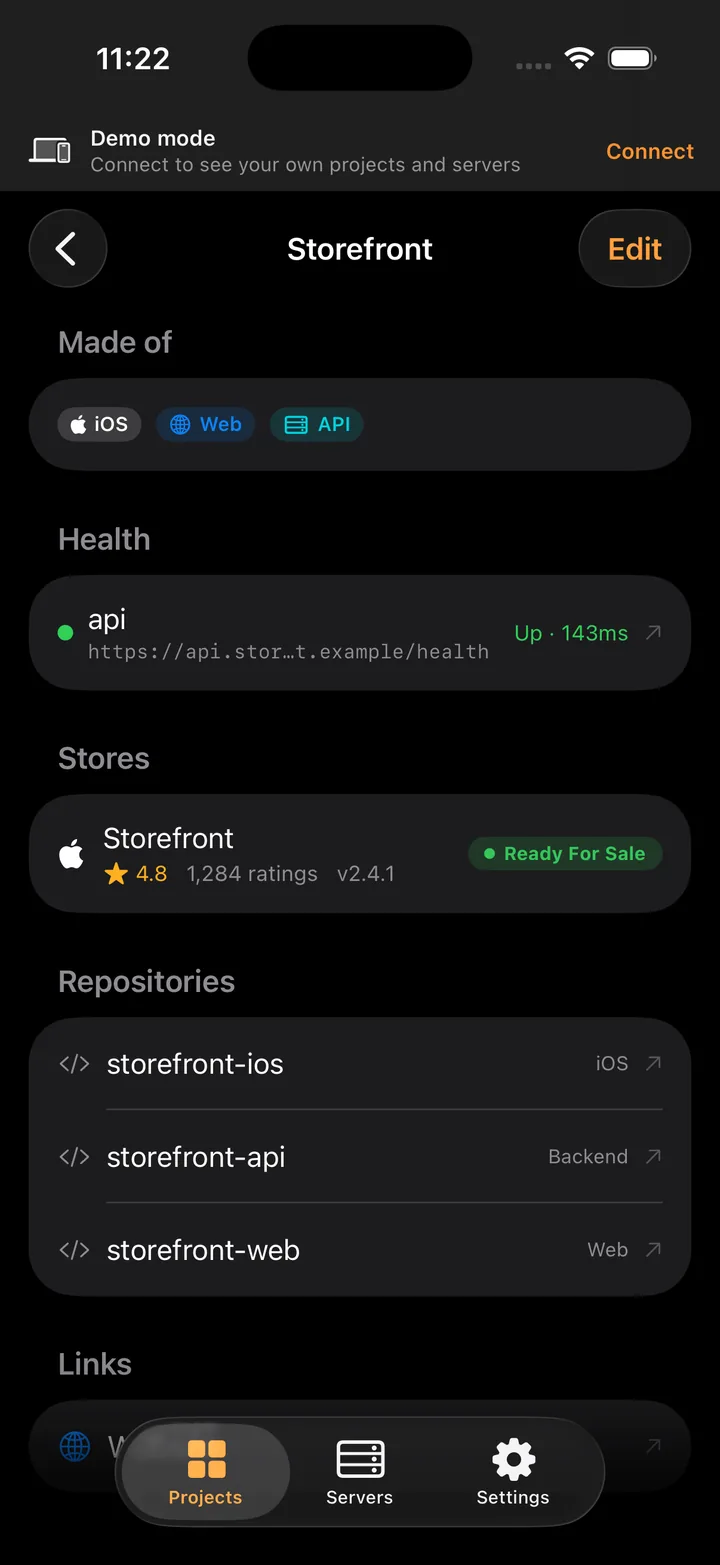
Release state, both stores

In review, rejected, ready for sale — with the rating and the review count next to it. A rejection reaches you the same day, not the next time you happen to open App Store Connect.

Server detail
The stack

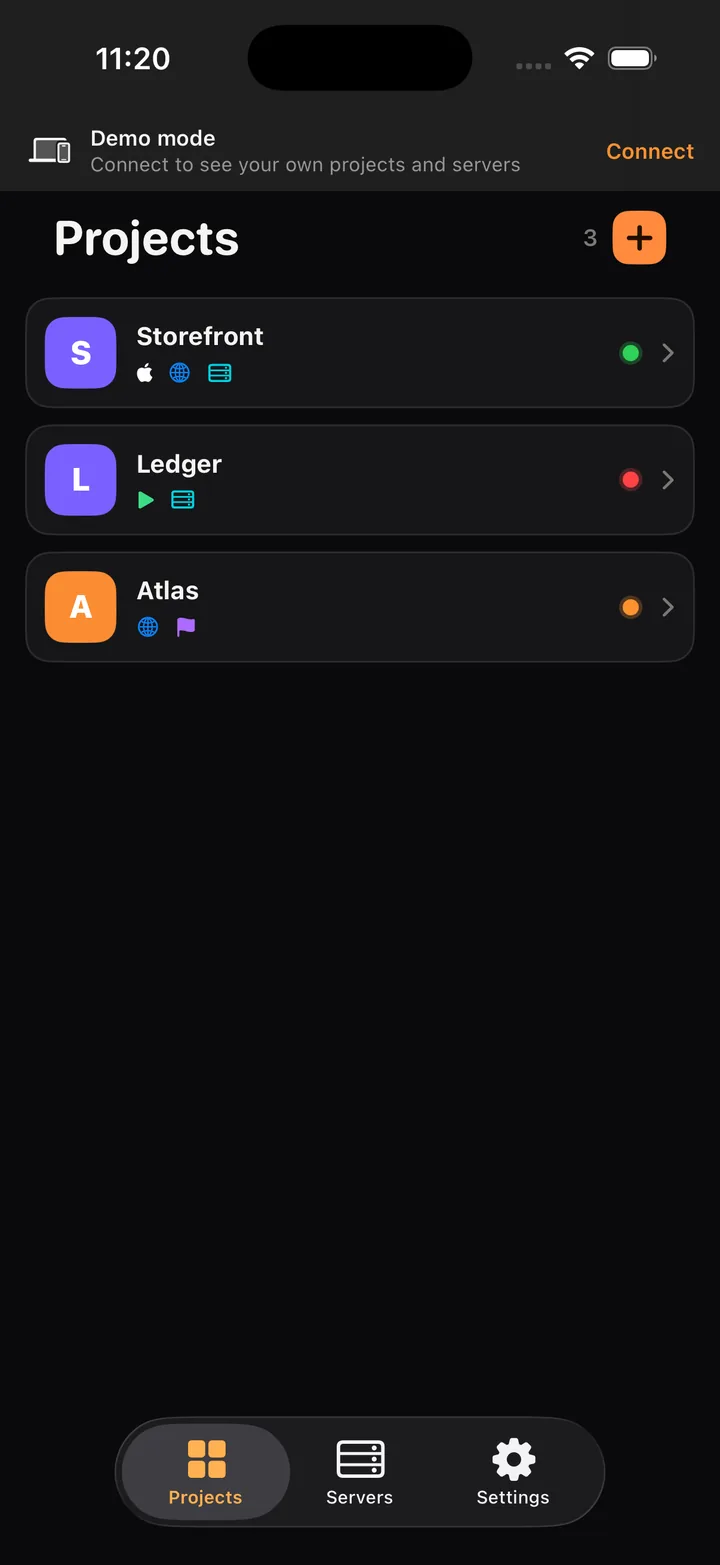
One list, worst state first

Every product you ship on one screen — what it is made of, iOS, web, API — and one dot that carries the worst state underneath it. You see the problem before you have opened anything.

In the groove

Sites and APIs, every minute

Give it an address and it checks it every minute: up, slow, or down, with the latency next to it. A push arrives when it stops answering twice in a row, and again when it comes back.

Deck watch

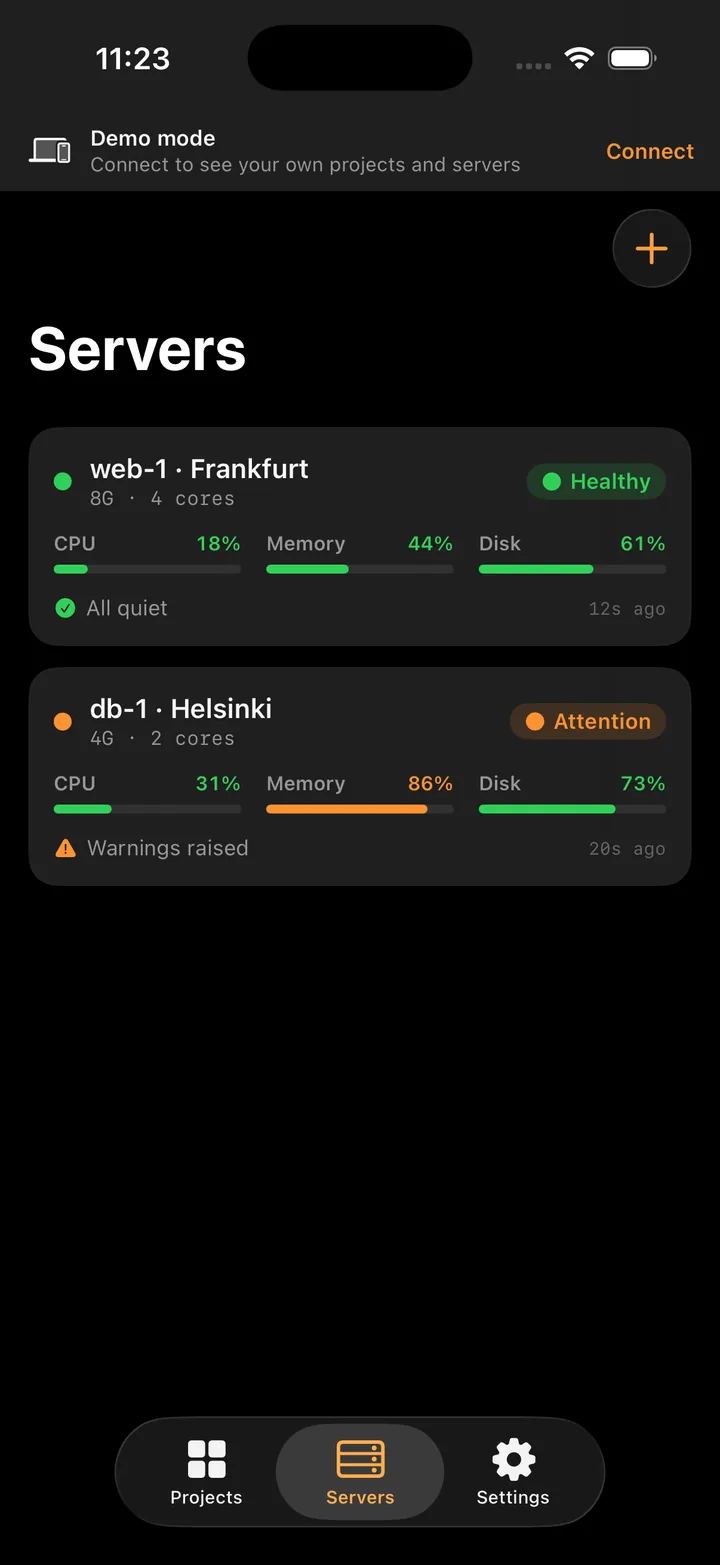
Your servers, honestly

One line installs a small agent on a server you already own. It dials out over HTTPS, opens no port, and reports load, disk, memory and the heaviest processes — numbers, nothing else. It reads a log only if you switch the night watch on for that server.

Night orders

Only wake you when it matters

Set the thresholds and what is always worth waking you: memory over the line for five minutes straight, a process running from /tmp, a port that was not open yesterday. Nothing else reaches you.

On the wrist

The whole loop on Apple Watch

The same three states on the wrist. A glance tells you whether anything needs you, and a tap opens the one thing that does.

How to read it

Three states, nothing else

The whole interface runs on one colour rule, so the answer is visible before you have read a single word.

Holding — needs a look Cleared — all quiet Waved off — down or critical
Projects
Projects
Server detail
Server detail
Servers
Servers
Project
Project
Coming as beta · off by default

Night watch

Your devops is asleep. The watch is not.

Your users are in a timezone where it is the middle of the day. The one person who can restart the service is in one where it is four in the morning. Marshal Stack already sees the failure; next it will clear it — read the logs, name the cause, bring the service back and leave the report ready for your morning.

01 · Sees it

The alert fires

Memory over the line for five minutes, a disk past 90%, an address that answered 502 twice in a row. The same rules that send you a notification today open a shift for the watch.

02 · Works it out

Logs, not guesses

It reads the service log and the system journal around the exact minute it broke — the OOM killer at 03:12, a migration that never finished, a disk eaten by yesterday's build cache — and names the cause in one sentence.

03 · Brings it back

Fixed, then verified

It restarts what fell over, clears what filled up, then checks the same address again — and closes the alert only when the answer is 200. If it cannot fix it, it wakes you, but with the diagnosis already done.

You switch the watch on one server at a time, and it grows in steps: first it only looks and brings you the diagnosis, then it restarts what fell over — with your confirmation — then on its own at night, and a code fix always arrives as a separate pull request. Every step is written down, and one red button stops it.

The watch ships as a beta: off by default, switched on by you for one server at a time, and running on our own machines first. An app that “fixes” something and leaves it worse is no use to anyone — so it arrives late rather than on your production.

Everything you ship, holding at altitude.

Free on the App Store. Open it and look around on sample data — no account, no keys, nothing to connect.

iPhone and Apple Watch · the night watch is in development